Want to try the latest ChatGPT photo trends you’ve been seeing all over Instagram and TikTok? You’re in the right place!
From stepping back into the 1980s to turning yourself into a tiny plastic bobblehead, ChatGPT is making it easier than ever to transform your photos into something fun, nostalgic, creative and completely unexpected.
I’ve created this growing collection of ChatGPT photo prompts so you can find the latest trends in one convenient place, without having to scroll endlessly through social media to track down the original instructions.
How to use these prompts: Simply upload a photo of yourself to ChatGPT, copy the prompt you want to try, and paste it into the chat. Unless the prompt says otherwise, you can use a clear photo of yourself as your starting point. ChatGPT will then use your instructions to create your personalised image.
I’ll keep updating this page as new trends and creative photo prompts emerge, so bookmark it and check back regularly to discover what’s new.
Ready to see what ChatGPT can do with your photos? Let’s get started!
Arial View
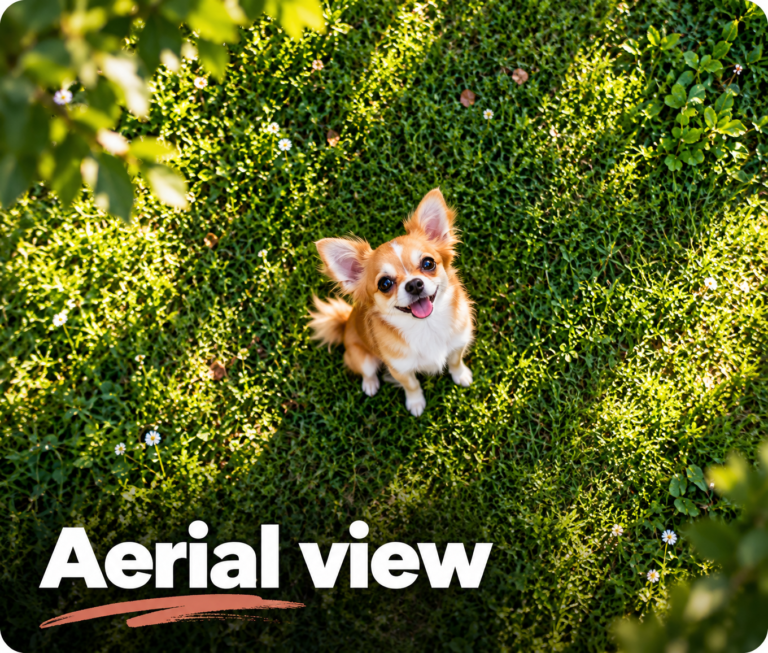
Give your photo a whole new perspective! This ChatGPT prompt transforms an ordinary picture into a stunning aerial shot, as if captured by a drone high above the scene. Perfect for creating dramatic bird’s-eye views, revealing more of your surroundings and giving your photos that professional, cinematic feel without ever leaving the ground.
Collector's Tin
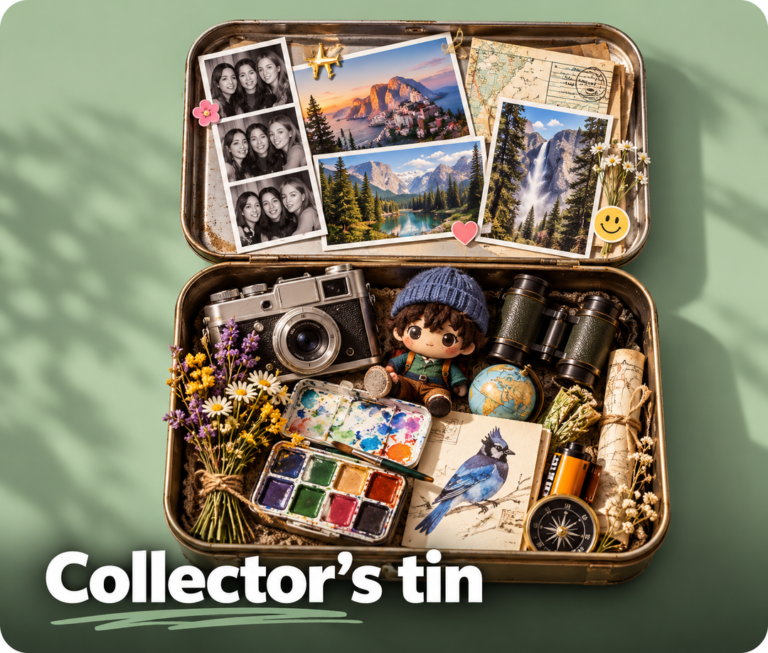
What if your personality could fit inside a collector’s tin? This creative ChatGPT prompt transforms everything that makes you uniquely you into a personalised keepsake, filled with meaningful objects inspired by your interests, hobbies and personality. Complete with your favourite colour and quirky little details, it’s a fun and surprisingly personal way to see how ChatGPT imagines your life in miniature.
Photo Booth
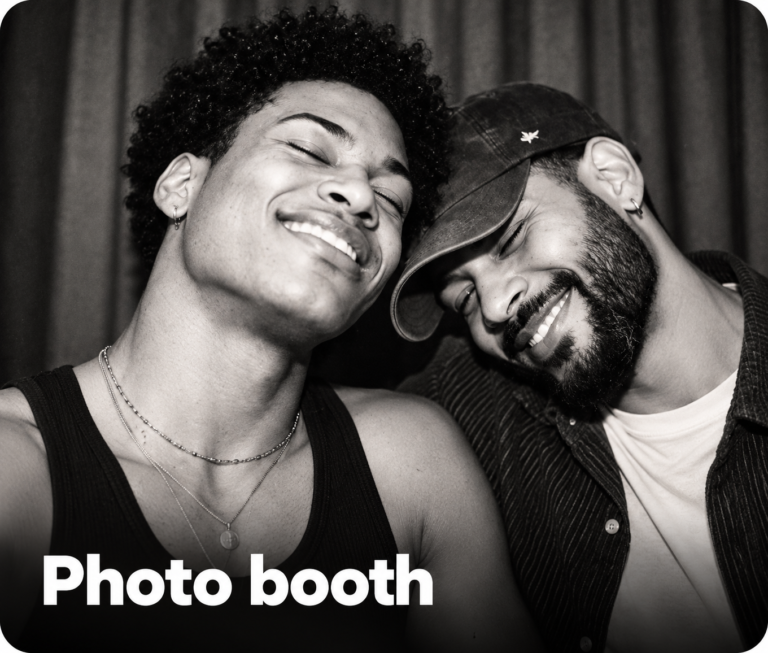
Turn your favourite photos into a fun, retro photo-booth collage! This ChatGPT prompt creates a collection of black-and-white snapshots featuring silly poses, candid expressions and perfectly imperfect cropping. With dramatic flash photography, bold contrast, vintage film grain and classic photo-booth borders, the result looks like a strip of spontaneous memories straight from an old-school photo booth.
Using my uploaded portrait as the identity reference, create a photo-booth collage: three black and white vertical strips side by side misaligned, four photos in each strip, each strip slightly tilted to overlap in a 9:16 composition. Preserve the subjects’ facial identity, outfits, and hairstyles. Poses and expressions are varied, fun, and silly. Some photos have people partially cropped, completely cropped, switching places, closer to camera. Use harsh direct flash, extreme contrast, crushed blacks, blown whites, few midtones, and lost detail. Add coarse film grain, overexposure, thick black borders, and very light wear. Analog booth print.
Sketch
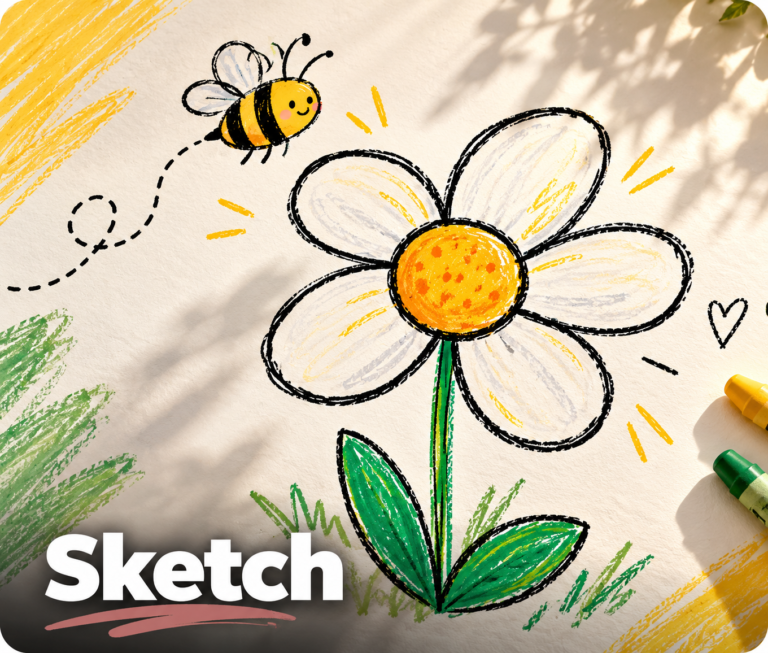
Turn a simple sketch into a one-of-a-kind work of art! This creative ChatGPT prompt reimagines your original drawing with fresh colours, textures, lighting and artistic details while preserving the feeling and idea behind it. Whether your sketch is rough, simple or full of character, ChatGPT helps bring it to life in a completely new style. You can even choose your preferred artistic direction, from playful illustrations to bold abstract masterpieces.
80s Flashback
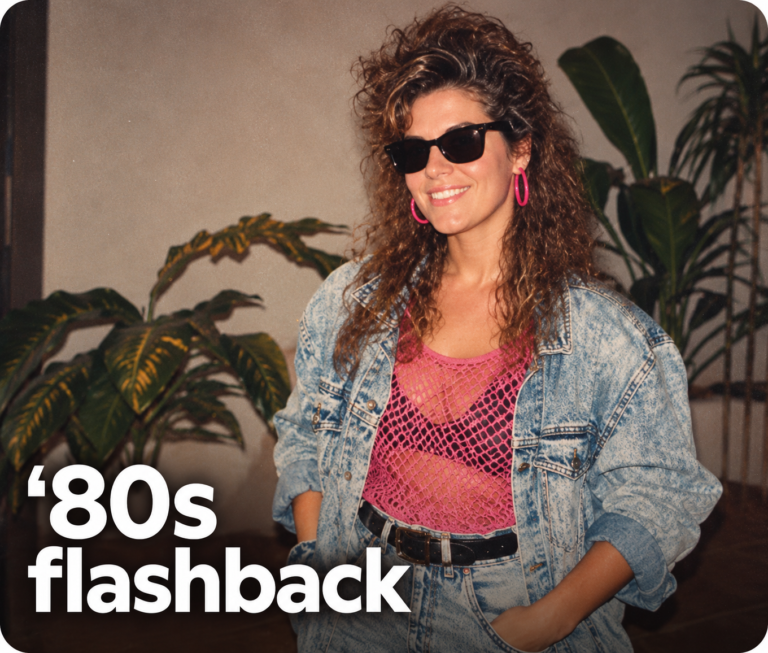
Travel back to 1985 and see what you might have looked like in the decade of big hair, bold colours and statement accessories.
Using my uploaded photo, show me what I would have looked like around 1985. Preserve my identity, facial features, skin tone, age, and recognizable appearance. Reimagine my hair, clothing, accessories, and surroundings with bold, unmistakably mid-1980s styling—expressive silhouettes, statement accessories, layered details, distinctive colors, and textures. Make it feel like a genuine 1985 photograph with analog grain, faded color, direct flash, and subtle softness. Add a period-accurate 1980s red-orange date stamp in the lower corner. No recognizable posters. No modern objects or text.
Your Bobblehead
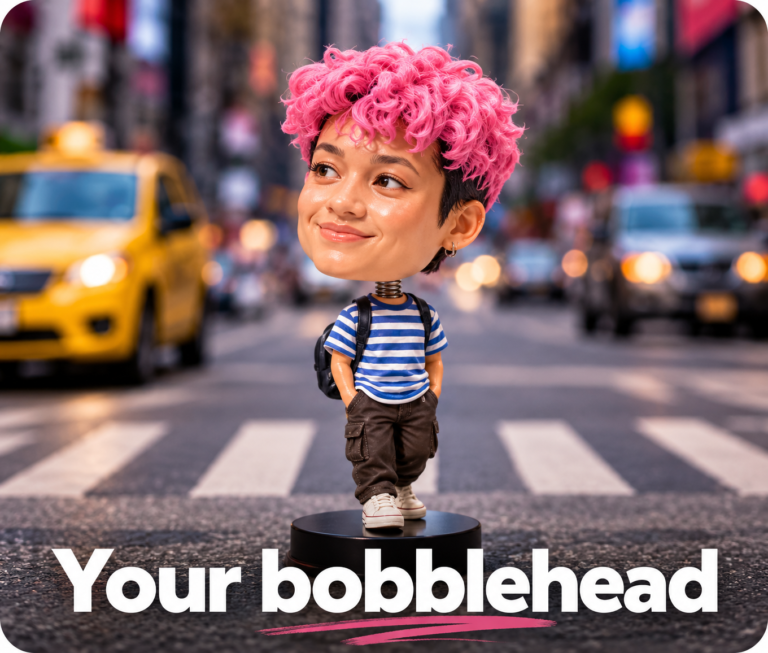
Turn yourself into an oversized, slightly wonky plastic bobblehead, complete with chunky molded hair and a comically tiny body.
Create a studio photograph of a cheap mass-produced plastic bobblehead toy inspired by the uploaded photo. Reference the person’s identity and exact face, but make the face more youthful with a broad friendly smile and chunky molded plastic hair. The toy must look physically photographed, not CGI or a 3D render. Oversized bobblehead head, comically huge, about 12x the tiny body. Simplified molded vinyl face with painted eyes, painted brows, molded smile, visible paint boundaries, tiny paint misalignment, subtle mold seam lines, injection-molded plastic texture, small scuffs, soft specular highlights. Molded plastic hair with chunky sculpted grooves, not individual strands. Environment inspired by the photo.
Caricature
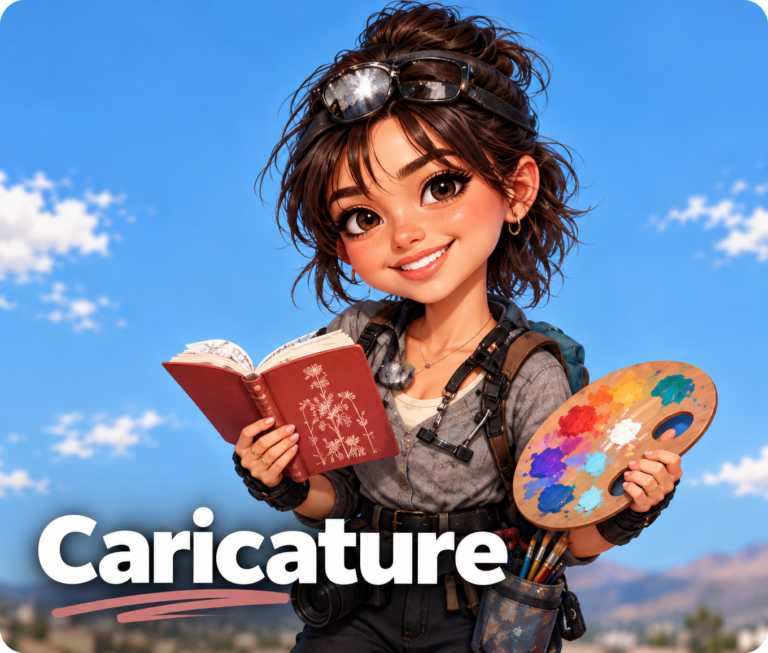
Turn yourself into a whimsical cartoon character! This fun ChatGPT prompt creates an exaggerated caricature inspired by your personality, interests and everything ChatGPT knows about you. Expect oversized facial features, bold outlines, playful expressions and a quirky, cartoon-style illustration that captures your unique personality with a good dose of humour.
Underwater
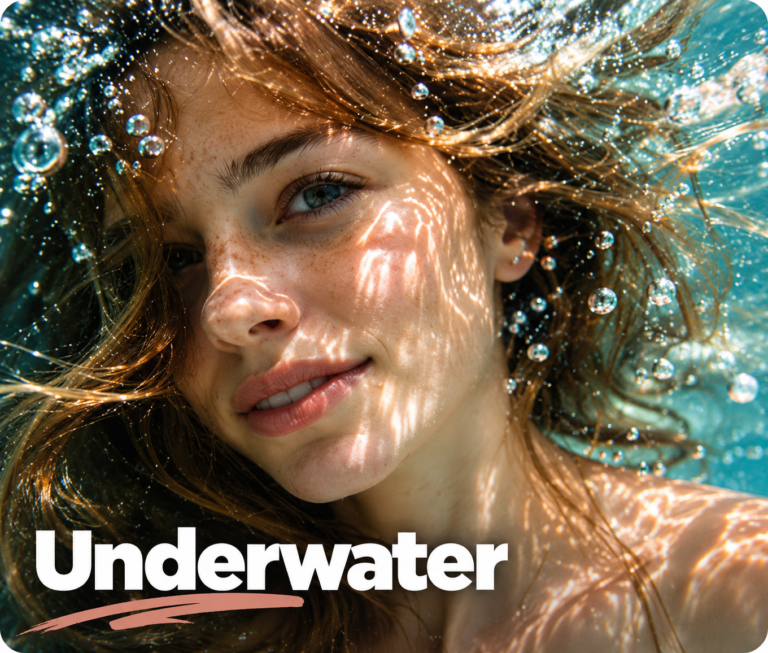
Create a dreamy, ethereal underwater portrait that looks like a scene from an artistic photoshoot. This ChatGPT prompt captures the magic of being submerged in crystal-clear water, with shimmering light reflections, soft movement and a weightless, almost otherworldly atmosphere. Perfect for transforming an ordinary photo into a stunning, editorial-style image that feels peaceful, cinematic and effortlessly beautiful.
Frequently Asked Questions About ChatGPT Photo Prompts
What are ChatGPT photo prompts?
ChatGPT photo prompts are written instructions that tell ChatGPT how to transform an uploaded photo into a new image. You can use them to recreate a particular era, turn yourself into a toy figurine, experiment with different styles, or create fun and imaginative portraits. The more specific the instructions, the more guidance ChatGPT has when creating your image.
How do I use these ChatGPT prompts?
Simply choose a prompt from the list above, copy the instructions, and open ChatGPT. Upload a clear photo of yourself, paste the prompt into the chat, and send it. ChatGPT will use your photo and instructions to generate a new image. Some prompts may work better with a particular type of photo, so check the instructions before getting started.
Are these ChatGPT photo prompts free to use?
The prompts themselves are free to copy and use. However, generating images with ChatGPT is subject to the features and usage limits available on your account. Depending on your plan, you may have a limited number of image generations available.
Do I need ChatGPT Plus to create AI photos?
Not necessarily. ChatGPT offers image-generation capabilities on eligible plans, including free access with certain limits. Paid plans may offer higher usage limits or additional capabilities. Check the current features available on your account to see what you can use.
Do I need to upload a photo of myself?
Most of the prompts in this collection are designed to work with an uploaded photo, especially those that recreate your appearance or turn you into a character or figurine. For the best results, choose a clear, well-lit photo where your face is easy to see. You can also experiment with different photos to see which produces your favourite result.
How can I get the best results from ChatGPT photo prompts?
Start with a clear, high-quality photo and copy the entire prompt, including the details about your appearance, styling, lighting and background. Many prompts include instructions to preserve your facial features and identity while changing the surrounding details. If the first result isn’t quite right, ask ChatGPT to adjust specific elements rather than starting over. For example, you could request a different hairstyle, a more realistic finish or a less exaggerated effect.
Why doesn’t my AI-generated photo look exactly like me?
AI-generated images can sometimes alter facial features, skin tone, age or other identifying details, even when the prompt specifically asks ChatGPT to preserve them. Starting with a clear photo and including detailed instructions about your identity can help, but the results may vary. If something looks wrong, ask ChatGPT to correct that particular detail.
Can I use these prompts with other AI image generators?
Many of these prompts can be adapted for other AI image-generation tools, although the results may differ. Some tools interpret instructions differently or have different features, so you might need to adjust the wording to suit the platform you’re using.
How often is this list of ChatGPT prompts updated?
This is a growing collection that I’ll update as new ChatGPT photo trends and creative prompts emerge. Bookmark this page and check back regularly so you don’t miss the latest ideas.
Are my uploaded photos private when I use ChatGPT?
Your privacy settings and the way your data is handled depend on the service and account you’re using. Before uploading personal photos, review the platform’s privacy controls and data settings. Avoid uploading images of other people without their permission, particularly children or anyone who may not want their image used with AI.
Can I share the prompts with friends?
Absolutely! Feel free to share this page with friends who want to try the latest AI photo trends. Sharing the original page also helps them discover the full collection as new prompts are added.